Google put a stronger model into AI Mode. Here's what fintech brands should check this week
Last updated: 14 Oct 2026, 11:48 PM IST. Based on Google's announcement and search-industry reports of 13 Oct 2026. We'll update this post if Google widens access or the Knowledge Panel test rolls out more widely.
Short answer: On 13 October 2026, Google made its new Gemini 4 Argon model available in AI Mode for Google AI Pro and Ultra subscribers, aimed at complex, multi-step questions, including finance. Google is also testing longer AI Overviews inside Knowledge Panels that lead into AI Mode. For fintech brands, that means checking what Google's AI says about your fees, contact details and products.
Two changes landed on the same day, and both affect what people see when they search for a fintech brand or ask a money question on Google. Neither is something you can switch off, but both reward the same thing: clear, consistent, accurate information about your business on your own site and listings. Here's what changed, who sees it, and the checks to run this week.
What did Google change in AI Mode on 13 October?
Google announced Gemini 4 Argon, its latest model, on its official blog on 13 October 2026. It is available "for Google AI Ultra and Pro subscribers in the Gemini app and AI Mode in Search" (Google).
- What it's built for: Google says Argon "excels at deep work in complex, real-world tasks across domains including coding, finance, legal, cybersecurity, and science."
- In Search: Google said Argon "brings big improvements to tackling nuanced, multi-step tasks in AI Mode" and is "better at understanding your intent and following your instructions in back and forth conversations" (Search Engine Roundtable; Search Engine Land).
- Links are included: Search Engine Roundtable noted that AI Mode answers using Argon include links to sources (Search Engine Roundtable).
Who sees it? Only Google AI Pro and Ultra subscribers who choose Argon in AI Mode. It isn't what every Google user sees, and it doesn't replace regular search results or AI Overviews for everyone.
What is the AI Overview test in Knowledge Panels?
A Knowledge Panel is the information box Google shows for a business, person or brand, usually on the right of the results on desktop. Search Engine Watch reported on 13 October 2026 that Google is showing a "Show more" button on AI Overviews inside some Knowledge Panels. Clicking it opens a longer AI Overview panel with citation cards and a search box, and typing into that box takes you to AI Mode (Search Engine Watch).
It's reported as a test, not a full rollout. You may not see it for your brand. But it shows where branded search is heading: someone who searches your company name may get an AI summary of your business, and a direct path into a longer AI conversation about you.
Why does this matter for fintech brands?
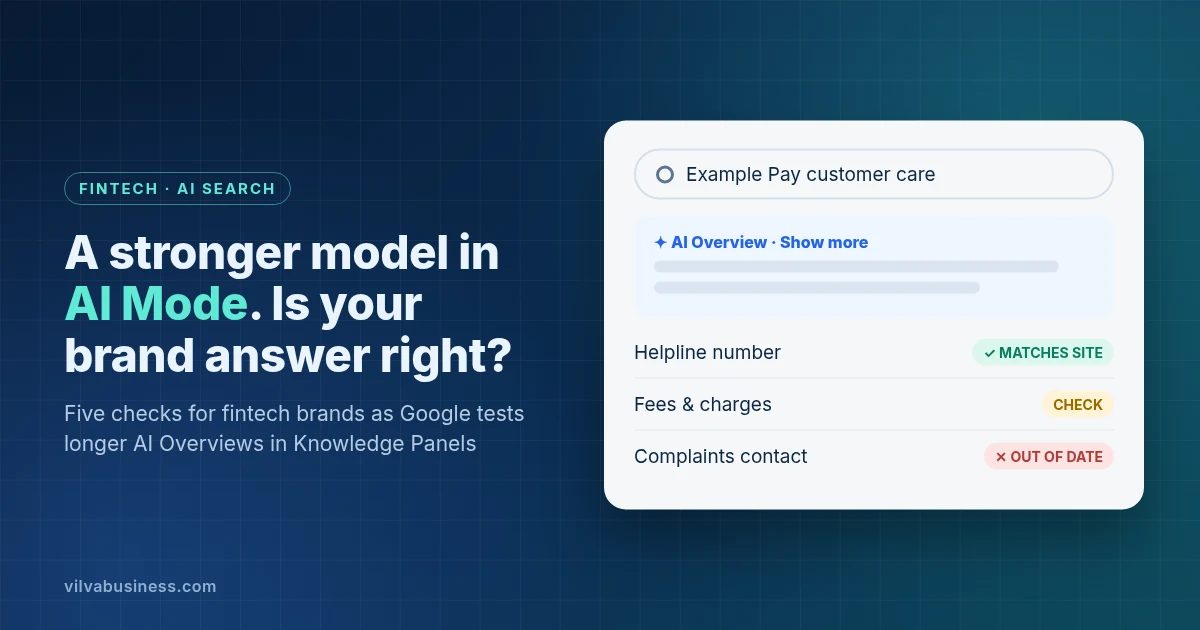
This is our reading, not something Google has said. When people search for a payments, lending or insurance brand, they often want three things: how to contact you, what you charge, and whether you're legitimate. A stronger AI Mode answering multi-step money questions, and AI summaries on your Knowledge Panel, mean more of those answers may come from Google's AI rather than from your own pages.
If your fees page is out of date, your phone number differs across listings, or your product pages are vague, the AI has less clean information to work from. For fintech brands, a wrong helpline number or fee is more than an embarrassment: it can send customers to the wrong place.
Five checks to run this week
- Check your Knowledge Panel and Business Profile. Search your brand name on Google and check the name, address, phone number and website in the panel. Fix anything wrong in your Google Business Profile. Our guide to ranking on Google Maps covers the basics.
- Make your contact details match everywhere. Use the same business name, address and phone number on your website's contact page, footer, Business Profile and directory listings.
- Put fees and key facts on plain web pages. Make sure your fees, charges, grievance contact and product scope are on clear HTML pages your staff would agree with, not only in PDFs or images.
- Ask Google's AI about your brand. Search your brand plus "customer care number", "charges" and "complaints", and look at any AI Overview. If you have a Google AI Pro or Ultra account, also try a multi-step question in AI Mode, such as "What does [brand] charge for a ₹10,000 payment, and how do I raise a complaint?" Note the date and what's right or wrong.
- Fix at the source, then check again. Update your own pages and listings first, use Google's feedback option on answers that are wrong, and repeat the check monthly. In Search Console, the performance reports can show how your pages appear in Google's AI features over time.
These checks are our recommendation. They don't guarantee what Google's AI will say about your brand.
For the wider picture, see our guides to answer engine optimisation (AEO) and getting your brand mentioned in AI answers the right way.
From our own brand check (14 Oct 2026)
We ran these checks on our own names. Google's AI summary for "Vilva Business" was correct. For "Vilva Networks", it gave our CEO's name as "G. Ravirajan" instead of "Gopinath Ravirajan", and it didn't mention what the company specialises in. When we searched "Vilva Networks contact number", the AI answer gave our correct number: the factual contact details came through correctly, but the leader's name and what makes the company different didn't. We've also seen the longer AI Overview with the "Show more" button, and we use it most of the time, so this is how many people may first read about a business.
The lesson: AI summaries can shorten or garble a leader's name, and they often leave out what makes a company different. The fix we're making is to use the same full founder name and the same list of specialities on our About page, Google Business Profile and LinkedIn, and in our website's Organization schema (the founder field).
How Vilva Business can help
Vilva Business (Vilva Networks), Chennai helps brands keep their search and AI presence accurate through GrowthOS and our digital marketing services: checking what Google's AI says about you, keeping listings consistent, and making sure your key pages answer customers' questions clearly. Our fintech team builds payment and lending platforms, so we know which facts matter most. We can't control or guarantee what any AI feature shows.
FAQ
What is Gemini 4 Argon?
It is Google's latest AI model, announced on 13 October 2026. Google says it is built for complex, multi-step work in areas including finance, legal, coding, cybersecurity and science. In Search, it is available in AI Mode for Google AI Pro and Ultra subscribers.
Does everyone on Google now see Argon answers?
No. As of 13 October 2026, Argon in AI Mode is available to Google AI Pro and Ultra subscribers who select it. Most people searching on Google see regular results and AI Overviews, not Argon answers in AI Mode.
Why is there an AI Overview on a Google Knowledge Panel?
Google has been testing AI Overviews inside Knowledge Panels. Search Engine Watch reported on 13 October 2026 that some panels now show a "Show more" button that opens a longer AI Overview with citations and a search box leading to AI Mode. It is reported as a test, so not every brand will see it.
Can I control what Google's AI says about my business?
Not directly. You can make it easier for Google to get the facts right by keeping your website, Google Business Profile and listings accurate and consistent, putting fees and contact details on clear web pages, and reporting wrong answers through Google's feedback option.
What should fintech brands check first?
Start with contact details and fees. Search your brand plus "customer care number" and "charges", compare any AI answer with your website, and fix your Business Profile and key pages first. A wrong helpline number in an AI answer can send customers to the wrong place.
Want to know what Google's AI says about your brand? Vilva Business (Vilva Networks), Chennai can check your branded search, Knowledge Panel and AI answers, and help you fix what's wrong at the source. Book a demo or see GrowthOS for fintech.
Facts are from Google's blog post and the search-industry reports linked above, as read on 14 Oct 2026. The Knowledge Panel feature is a reported test and may change.
.webp)
.webp)
.webp)
.webp)
.webp)
.webp)
.webp)
.webp)

.webp)
.webp)
.webp)
.webp)
.webp)